Windows 10 support ends Oct. 14, 2025 — what that means for your security and how Las Vegas users should prepare
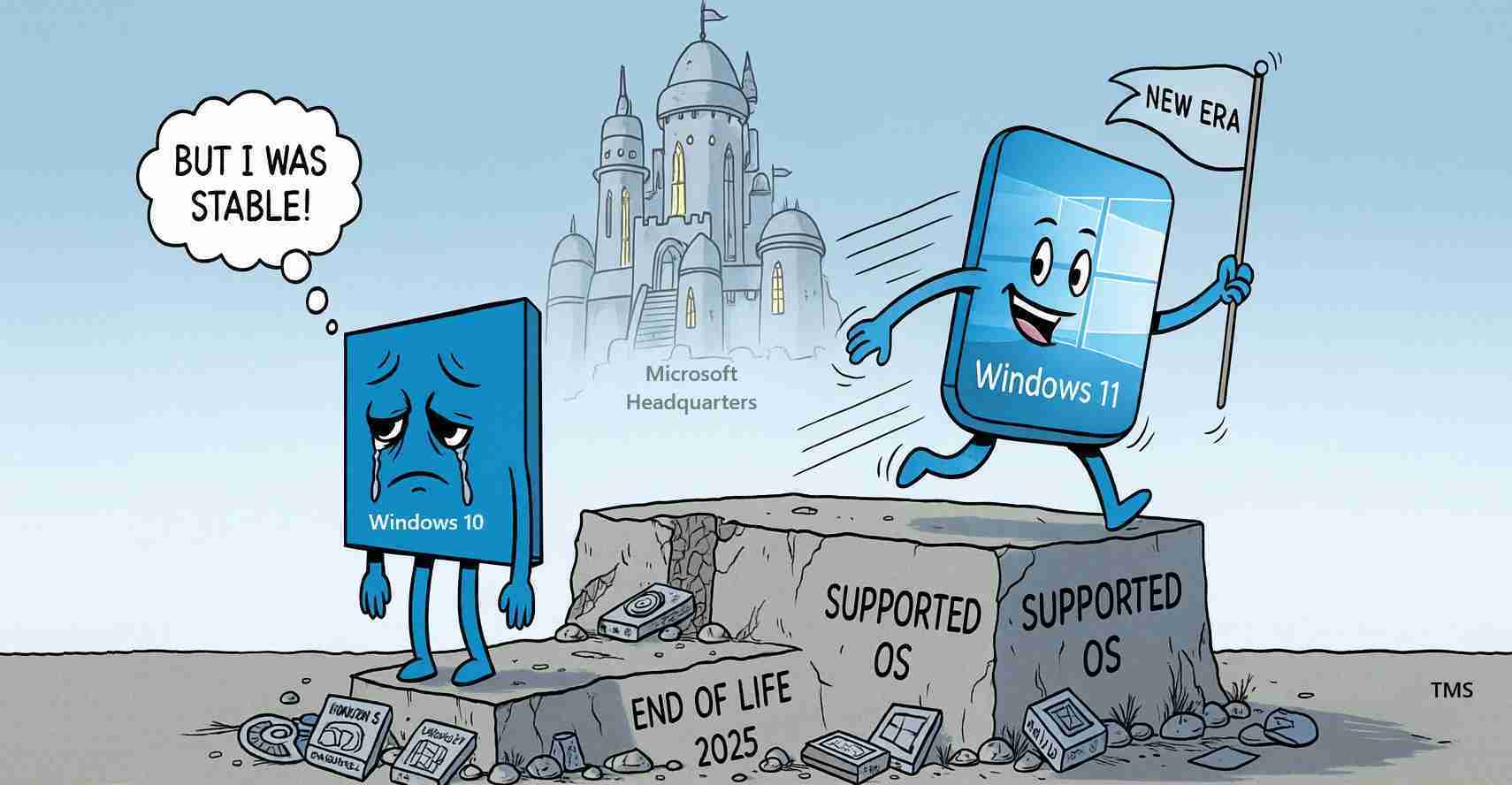
Microsoft ends free security updates and technical support for Windows 10 on Oct. 14, 2025, leaving devices exposed to rising malware, ransomware and compatibility risks; users, businesses and public agencies should upgrade to Windows 11 or plan replacements.
- End of support: Windows 10 reaches end of free updates on Oct. 14, 2025 — see Windows 10 support ends on Oct. 14, 2025 and Microsoft’s end-of-support page.
- Temporary paid option: Extended Security Updates (ESU) are available through Oct. 13, 2026 for eligible systems (primarily organizations).
- Upgrade recommendation: Microsoft urges users to move to Windows 11 when hardware permits; otherwise replace the PC.
- Risk reminder: Systems will still run after the date, but will face growing security and compatibility problems — more at Azor Inc.’s explainer.
What “end of support” actually means
Microsoft follows an approximately 10-year lifecycle for Windows releases. When a version reaches end of support, Microsoft stops providing free security updates, feature improvements and technical assistance. In practical terms, Windows 10 devices will continue to boot and run, but without security patches they become progressively more vulnerable to malware, ransomware and novel attack methods over time. See Microsoft’s Windows 10 support announcement and the end-of-support guidance.
Software, hardware and compliance impacts
Microsoft warns that software vendors and hardware manufacturers may phase out support for Windows 10. That can cause app and driver incompatibilities, and new devices may be released only for Windows 11 or later. Organizations subject to regulatory or industry compliance standards risk falling out of compliance if they continue to run unsupported systems — see the practical advice in Azor Inc.’s article.
Cyber security risks of running Windows 10 after Oct. 14
Without security updates, newly discovered vulnerabilities in Windows 10 will remain unpatched on unsupported machines. That enlarges the pool of exploitable targets and increases the chances of ransomware, credential theft and remote code execution attacks that can move laterally across networks. Experts warn businesses face higher stakes — contractual and regulatory obligations may be violated, risking fines, incident response costs and reputational damage; consumers face data loss and identity theft. Microsoft’s end-of-support page and various technical guides emphasize these risks (Microsoft end-of-support; Azor Inc.).
Extended Security Updates (ESU): a temporary bridge
Microsoft offers a paid Extended Security Updates (ESU) program supplying critical fixes for eligible Windows 10 systems through Oct. 13, 2026. ESU is primarily aimed at enterprises that need time to migrate large device fleets; pricing and eligibility vary by customer type. While some online discussions have proposed narrow free update paths, Microsoft’s official guidance identifies ESU as the supported paid route (Microsoft end-of-support).
Why Microsoft is pushing Windows 11
Microsoft recommends moving to Windows 11 for continued security updates, new features and tighter hardware integration. Windows 11’s security baseline includes requirements such as TPM 2.0 and Secure Boot, designed to reduce certain attack surfaces. Many Windows 10 PCs, however, do not meet these hardware requirements and will need replacement if their users want a fully supported OS — read Microsoft’s preparation guidance on the Windows Experience blog.
How to check if your PC can upgrade
Microsoft provides tools to verify compatibility. Back up important files, run the PC Health Check or equivalent utilities, and review hardware requirements before attempting an upgrade. If a PC is incompatible, users must choose to accept greater security risk, pursue ESU if eligible, or replace the device — official steps at the Windows 10 support page and the Windows Experience blog.
Practical steps to protect yourself now
- Back up data: Regularly copy important files to external drives or cloud services to reduce ransomware or hardware-failure damage (Microsoft end-of-support).
- Check upgrade options: Verify eligibility for a free or assisted Windows 11 upgrade using Microsoft’s guidance (Windows Experience blog).
- Harden devices that stay online: If you must continue on Windows 10, install reputable third-party antivirus and endpoint tools, keep applications updated, and reduce network exposure. These measures help but do not replace OS-level patches (Azor Inc.).
- Businesses: Inventory devices, prioritize upgrades for systems handling sensitive data or critical infrastructure, and view ESU as a short-term stopgap while migrating (ESU details).
Costs, timelines and common questions
Upgrading may be free for qualifying Windows 10 machines, but hardware upgrades or new PCs carry costs. ESU is a paid program commonly used by organizations and can be expensive at scale. Consumers with older hardware should weigh replacement costs against ongoing security and compatibility risks. Many ask whether Windows 10 will abruptly stop working — it will not, but lack of updates and vendor support will make continued use increasingly impractical (Microsoft end-of-support; Azor Inc.).
Implications for Las Vegas, Nevada
Economic impact: Las Vegas depends on small businesses, hospitality and gaming firms that require secure IT. Vulnerable Windows 10 devices could increase breach risk for point-of-sale systems, reservation platforms and back-office networks, causing revenue loss, fines and reputational harm (Microsoft Answers thread; Azor Inc.).
Political and regulatory effects: Clark County and City of Las Vegas offices should evaluate device inventories. Running unsupported systems can complicate compliance with state and federal data protections and could prompt oversight scrutiny; elected officials may face pressure to fund upgrades or transitional security programs (Microsoft end-of-support).
Social and community effects: Many households in Las Vegas use older or budget PCs. Residents unable to buy new machines may keep Windows 10 devices online, increasing exposure to scams and identity theft. Nonprofits, schools and community centers providing public access computers should plan upgrades or tighten network controls; local libraries and workforce centers could aid migrations and backups (Marquette reminder; Azor Inc.).
Practical local steps: Schedule upgrades during slow periods, use trade-in or manufacturer programs, partner with local IT providers for staged migrations, and seek community workshops at colleges, libraries or meetups to assist residents and small firms (Windows Experience blog).
For more information
Official and detailed guidance is available from Microsoft: the Windows 10 support announcement, the end-of-support page, the Windows Experience blog, and technical ESU details at Microsoft Docs. Additional context and community guidance are available via Azor Inc. and reporting such as Marquette Today.
Bottom line: Plan now — back up your data, check upgrade eligibility, inventory critical devices and budget for replacements to avoid growing security and compliance risks after Oct. 14, 2025.